How to broadcast one music stream to multiple platforms simultaneously
Configure a live music stream for multiple destinations: automatic YouTube, manual platform keys and the StreamExpose audio player.
StreamExpose team · Updated
The short answer
With a plan that includes simultaneous destinations, StreamExpose can send one music playlist and visual to several configured platforms. YouTube supports automatic setup; other social destinations use their supported manual credentials. Creator and Pro include multistreaming. Free and Starter allow one destination at a time. An enabled switch does not mean the destination is live.
Before you start
- A plan with multistreaming if you need more than one enabled destination.
- Live access and valid credentials for each external platform.
- Audio and visuals suitable and authorized for every destination, not only YouTube.
Step by step
Console screenshots are in English and use demonstration channels and tracks. No private stream keys are shown.
1. Choose destinations for the same stream
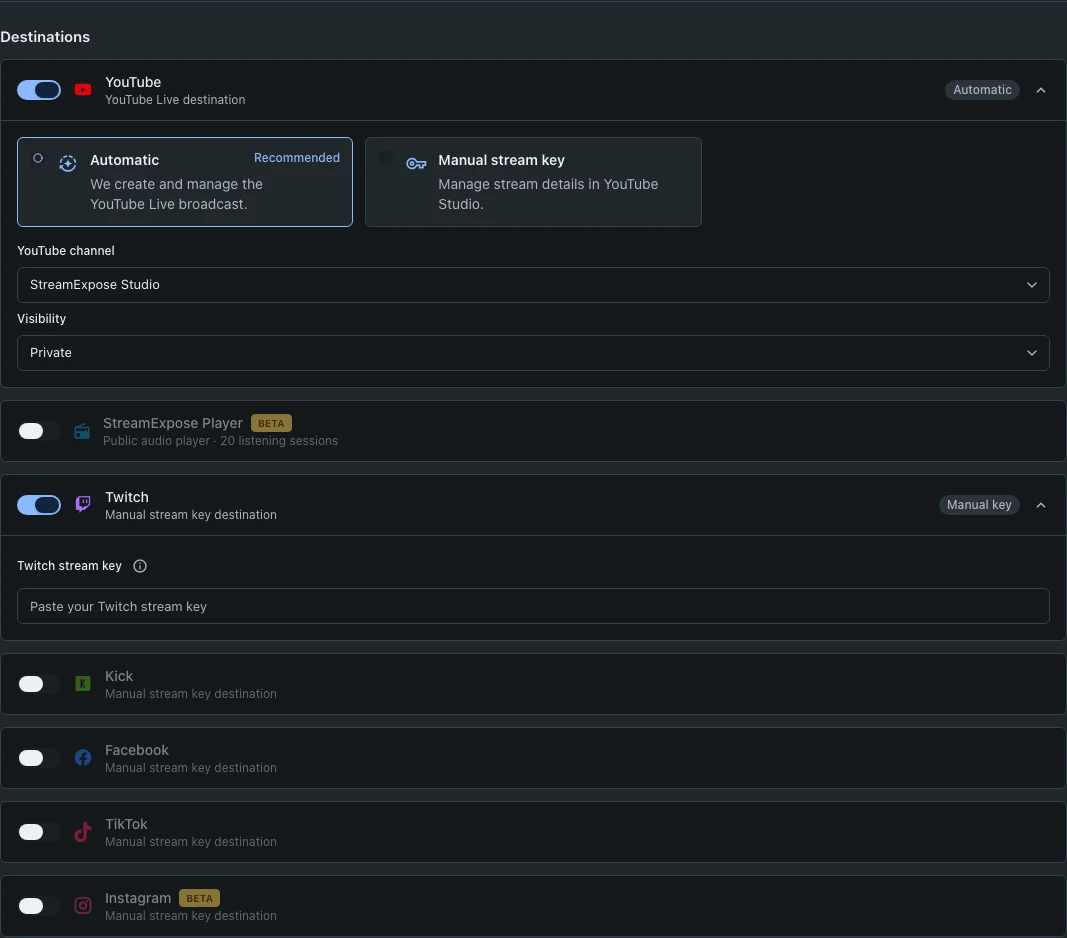
In Setup, enable the platforms you intend to use. On a one-destination plan, selecting another platform replaces the current selection. Compare plans before enabling simultaneous destinations.
2. Configure each connection independently
Select the YouTube channel in Automatic mode or provide a YouTube key manually. For Twitch, Kick and Facebook, obtain the key in that platform’s live settings. TikTok and Instagram require eligible external-streaming access and their supported server URL. Keep all credentials private.
3. Use one playlist and visual
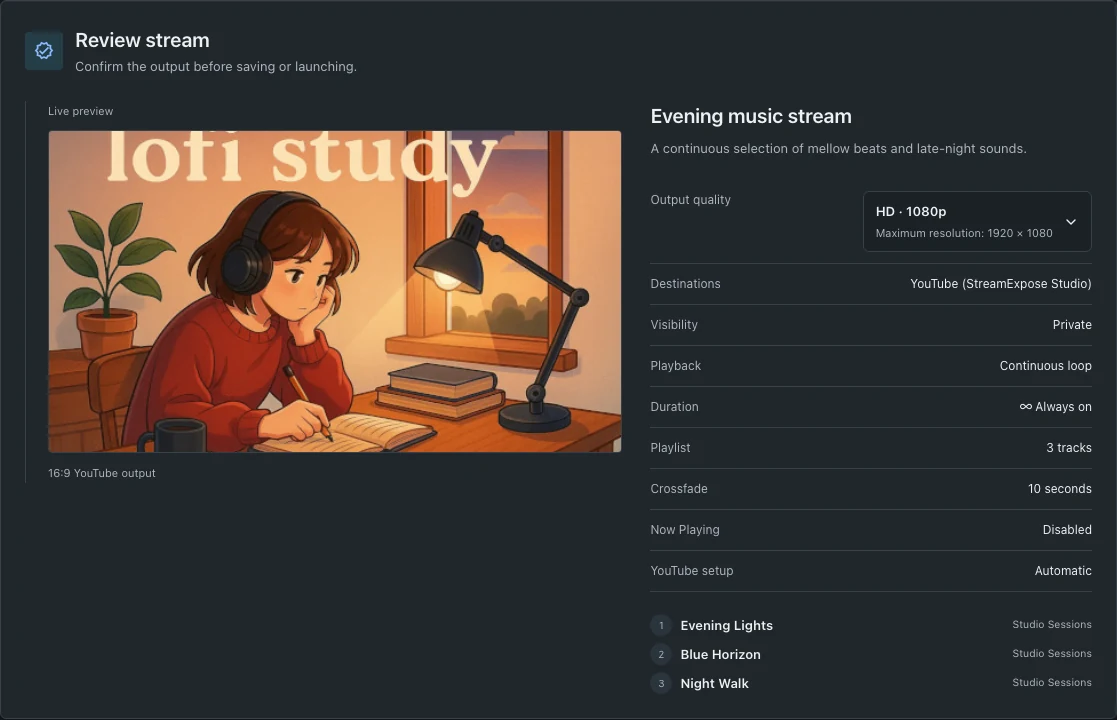
Choose the background, then build the audio playlist. Review output quality and each platform’s format requirements. A horizontal visual may be cropped on another platform. 4K requires an eligible plan and acceptance by the receiving platform.
4. Check live status platform by platform
Launch and wait for preparation to finish, then inspect the destination statuses separately. Some platforms require a final Go live action in their own interface. Fix the destination showing an error instead of assuming every platform is broadcasting. Instagram session keys change; unattended 24/7 operation is not supported.
Questions and troubleshooting
Is creating several streams the same as multistreaming?
No. Separate streams have separate setups and consume stream slots. Multistreaming sends one configured stream to multiple destinations simultaneously when your plan allows it.
Can every destination run unattended 24/7?
No. Platform permissions, session keys, maximum live durations and manual publication steps differ. Check the destination guide before planning continuous broadcasting. StreamExpose cannot remove restrictions imposed by the platform.
Can I share a stream key in a screenshot?
No. A stream key is a broadcasting credential. Hide it before sharing any screenshot and replace it in the platform settings if it has been exposed.